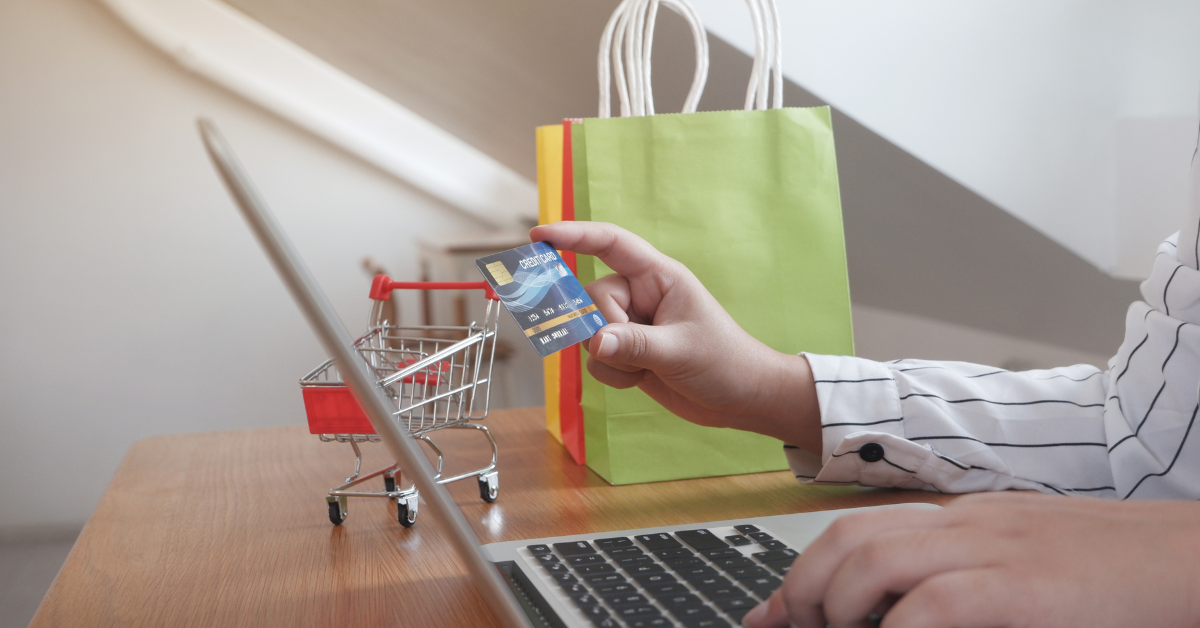
You open your phone and see endless products everywhere. Prices change from site to site. Some deals feel real. Some feel off. Right? So what should you trust? Online shopping looks simple. One wrong step can cost you money. Fake sites and bad sellers ruin good deals fast. It is worth slowing down here. You should know what you are clicking before you pay. You should also know how to spot safe sites and real offers.
Let’s break it down into simple steps. You learn smart shopping habits. You stay safe while buying online.
1 What Online Shopping Really Means?
Online shopping lets you buy products on the internet instead of visiting a store. You use your phone or laptop for this. You open a website, pick what you need, and place your order. You search for products and compare prices. You read product details and check options. You add items to your cart and complete checkout. Then you pay. After that, the item comes to your home. Easy, right?
Also, you get more choices than in a physical shop. You can explore many products in minutes. In fact, you can compare prices and read real customer reviews before you decide. That helps you make a better choice.
So, it is not just about buying. It gives you control, more options, and full convenience in one place.
2 Why Is Online Shopping So Popular Today?
Online shopping is popular because it makes things simple and fast. First, you get full convenience. You shop anytime. No store hours. No travel. Many people choose online shopping just for ease and comfort. Around 76% of shoppers say convenience is the main reason.
Also, you save money. Prices online are often lower. About 70% of people shop online to find cheaper products. Yes, you can compare prices across different websites in seconds. That gives you better control over your budget. Then comes delivery. You can see that many shoppers prefer online shopping because of free or fast shipping. Over 50% say free delivery is a top reason they buy online.
But another big reason is variety. Now you can say that over 70% of shoppers buy online at least once a month. So think about it. You get better prices. More choices. Easy delivery.
3 How to Choose Safe and Trusted Websites?
You should start with well-known websites. Big platforms like Amazon or eBay already have systems in place to protect buyers. That gives you a safer start.
4 So check the Website Security
You may start with the URL. Because a safe website shows https and a lock icon in the address bar. That means your data stays protected during payment. No lock icon? Then leave the site. Your card details can get exposed. Also, browsers often show a Not Secure warning. Take it seriously.
5 Use Well-Known Platforms
Go with trusted platforms, especially as a beginner. Because trusted platforms offer buyer protection. You can report issues and request refunds if something goes wrong. New or unknown websites may not provide that level of safety.
6 Verify Website Name and Domain
Look closely at the website name. Scammers copy real brands and change small details. But you may see extra letters or a different domain like “.net” instead of “.com”. See these small tricks fool many people. So always read the URL slowly before you trust it. One small mistake can lead to a fake site.
7 Check Real Customer Reviews
Search the website on Trustpilot or other review platforms. Read what real buyers say about delivery, product quality, and refunds. Also, check the review pattern. Many 5-star reviews posted at the same time can be fake. So mixed reviews usually give a more honest picture. That's why takes a minute and checks reviews. It can save you from a bad purchase.
8 Then Look for Clear Contact Details
Yes, a real business shares proper contact details. That's why you should see an address, email, and phone number on the website. No contact info? That’s a big red flag. If something goes wrong, you won’t know who to contact. Some people even call the number to check if it works. Sounds extra? Maybe. But it keeps you safe.
9 Read Return and Refund Policy
Check the return policy before you buy anything. Because a trusted site clearly explains how returns work. Check the return time first. Look at how many days you get to send items back. Read the refund rules next. You see how and when money comes back to you. Check shipping charges also. Some stores ask you to pay return shipping, others do not.
Spot unclear rules early. Confusing or hidden details often point to future trouble.
10 Avoid Deals That Look Too Cheap
Low prices attract attention. Scammers use this trick to trap buyers. If a product costs much less than on other websites, stop and think. So stay smart. Notably, a good deal should still feel realistic.
11 Avoid Scams and Fake Sellers
Check the spelling of the website name. Small errors often mean a fake site.
Avoid very low prices. If it looks unreal, it usually is.
Search seller reviews on Trustpilot or Reddit.
Read reviews carefully. Real ones show both good and bad points.
Check seller info on Amazon. Prefer official stores over unknown sellers.
Look for contact details. No phone or address is a red flag.
Avoid clicking random ads or links.
Ignore pressure tactics like “limited stock” or “buy now.”
Read the return policy before payment.
Trust your gut. If something feels wrong, leave.
12 Start With Trusted Websites Like CouponsBeast and Others
You should begin your shopping on trusted deal platforms. CouponsBeast gives verified offers from known partners. You reduce risk when you avoid random sites and start from checked listings. No doubt, good platforms show clear store names and real discounts. You see simple deal details and valid expiry dates. Fake sites often mix unclear offers or repeat the same deals.
In case you are unsure where to start, use platforms that already screen sellers for you. That step saves you from risky pages and fake listings. Next, check how the site organizes its deals. Trusted platforms group offers by brand and category. You also notice active and working coupons instead of broken ones.
Ask yourself one thing here. Does the site guide you clearly or push you to act fast? Real platforms keep things simple. Scam pages add pressure and urgency. For instance, it is worth starting from a site that shows verified partners. You avoid guesswork and reduce the chance of fake sellers.
You stay safer when you start from a trusted base. You also save time because you skip unsafe pages early.
13 Tips for Safe and Successful Online Shopping
It is suggested that you should always check the website first. The link must show https and a lock icon. No lock signals risk, so you should leave that site. Now you should choose safe payment options. Credit cards and trusted apps like PayPal give better protection if issues happen later.
However, you should read product details with care. Pictures can mislead you. Real listings give clear size, features, and return terms. Right, you should check seller profiles on platforms like Amazon. Strong sellers show reviews and past orders. Empty profiles need extra caution.
So, you should compare prices before you pay. Very low prices can signal risk. Does the offer look too good? You should question it. It is worth reading real buyer reviews. Honest reviews show both good and bad points. Perfect ratings can only feel unsafe.
However, you should avoid pressure messages. Phrases like “only a few left” push fast decisions. Do you really need to rush? You should slow down. Now you should keep your order details safe. Save emails, receipts, and tracking info. You need them if any issues appear later.
14 FAQs
1.How do I know a website is safe?
You should check for https and a lock icon in the link. You should also use trusted platforms like CouponsBeast to find safer deals and sellers.
2. What payment method is safest?
Credit cards and secure apps like PayPal work best. They give protection if something goes wrong with your order.
3. How do I avoid fake sellers?
You should check seller reviews, ratings, and history. You should also avoid deals that look too cheap or pressure you to buy fast.
4. Can I trust all online discounts?
No, not all discounts are real. Some offers look attractive but hide poor quality or fake listings. You should always compare before you buy.
5. What should I do after placing an order?
You should save your receipt, email, and tracking details. You should also check your payment account for any unusual activity.
Key Takeaways
- Always check website security (HTTPS) reviews and seller details before buying.
- Avoid deals that look too cheap and don’t rush into quick decisions.
- Use secure payment methods and read return/refund policies carefully
Conclusion
Online shopping is easy, but safety matters more. You should always start with trusted sites like CouponsBeast. Now you know the key checks before buying. Safe site, real seller, and secure payment keep you protected. So take a moment before you pay. Does the deal feel real or risky?
That question saves you money.

Noman
Content WriterNoman Ghaffar is the CEO of Adventure Coupon, a leading platform for online deals and discounts. He has extensive experience in digital marketing and e-commerce. Under his leadership, the company has grown rapidly, helping users save money through smart deals. His vision is to make online shopping more affordable and accessible for everyone
Comments 0
No comments yet. Be the first to share your thoughts!