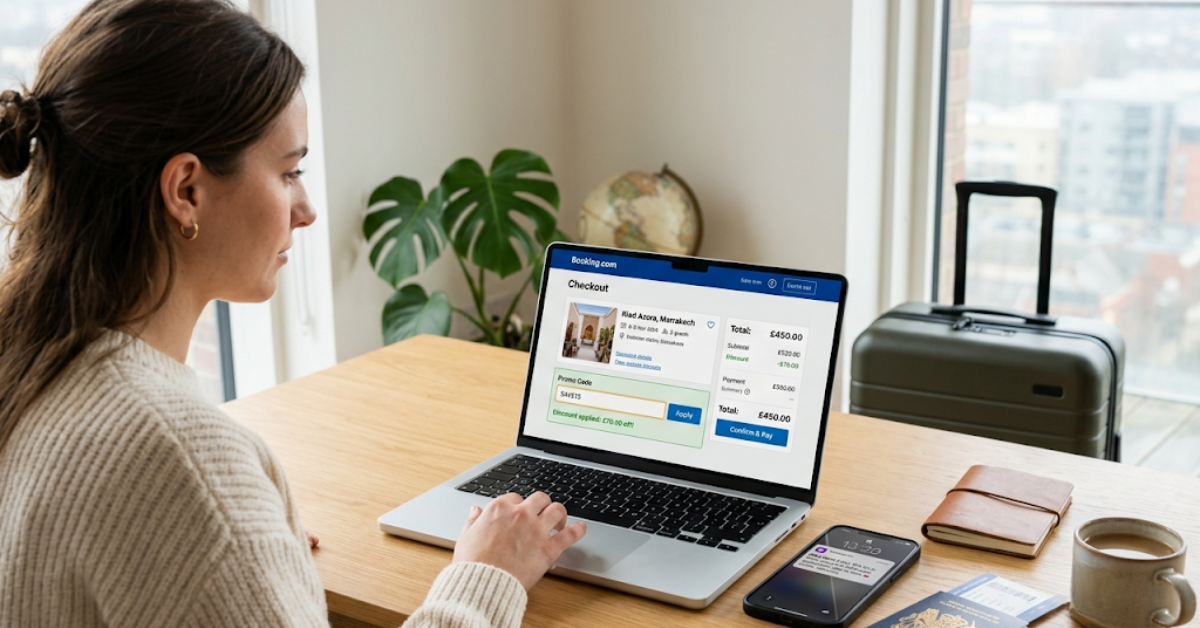
You're about to confirm a hotel booking. Right? Then you pause. "Is there a promo code for this?" Good instinct.
Booking.com runs one of the biggest travel platforms in the world. It covers over 220 countries and millions of properties. And yet most people book at full price because they don't know where to look.
So in this guide we will fix that. You'll learn exactly where to find verified codes, how to stack loyalty rewards, how email sign-ups and cashback apps fit in, and how to do all of it step by step, every single time you book.
First, Know This About Booking.com Promo Codes
Booking.com is not like Amazon or a fashion site. It doesn't flood the internet with coupon codes. The platform rarely releases public promo codes, sometimes zero verified ones in a 30-day window.
So if you're searching "Booking.com discount code" and finding nothing that works, that's normal.
But here's what most travelers miss: the real savings on Booking.com don't come from public coupon codes. Real savings come from stacking different discounts. Loyalty rewards help. Email deals help too. Cashback adds another layer. Wallet credits lower the cost even more. Use all four together. So, depending on your Genius level, cashback rate, available credits, and seasonal promotions, savings can sometimes exceed 20% and may be significantly higher on select bookings.
Let's break each one down.
So The Genius Loyalty Program (Your Biggest Lever)
Okay, this is where most of your savings will come from. Booking Genius is Booking.com's loyalty program. It has three levels, with increasing discounts and perks. And it's free. Every Booking.com account starts at Level 1 automatically on signup.
You don't need a promo code. You don't pay anything. You just need an account. Here's how the three levels work:
Genius Level 1 requires just two stays within two years. You immediately get access to 10% discounts at participating properties, plus flight price alerts on your preferred routes.
Genius Level 2 kicks in after five stays within two years. Your discount bumps to 15% and you get complimentary breakfast and room upgrades at select properties.
Genius Level 3 rewards 15 completed stays. You earn up to 20% off select stays, all Level 2 benefits, and priority customer support with access to live agents 24/7.
One important thing: Genius benefits are applied automatically to your bookings when they're available. No extra steps required. So once you hit a level, the discount just shows up. You search, you see the Genius price, and you book.
How to get there faster:
Every booking helps you move up. Hotel stays count. Flights count too. Car rentals and attraction bookings also qualify. Need an airport ride? Book your taxi through Booking.com. It counts toward your progress as well. Reserve your rental car there. Each one counts toward Level 2 and Level 3. And here's the good news: once you unlock a Genius level, you retain it for at least 12 months and can maintain or upgrade your level by completing more bookings.
Email Sign-Up Offer (Grab It Before Your First Booking)
If you haven't created a Booking.com account yet, you're sitting on a free discount. When you sign up for the Booking.com email newsletter, you'll get a 10% off promo code you can use on your first purchase. But this offer is limited to new subscribers, and cannot be combined with other discounts or promo offers.
So the move here is simple: sign up before you book anything. Get the 10% code. Use it on your first stay.
After that, Booking.com doesn't have a specific first-time discount through the email newsletter. However, staying subscribed keeps you in the loop for member-only deals and seasonal promotions.
Keep those Booking.com emails coming in. They're where seasonal flash sales get announced first.
Step by step:
Go to Booking.com and create a free account
Make sure you opt in to email offers during sign-up
Check your inbox for the welcome code
Apply it at checkout before you complete your first booking
Stay subscribed — deals come through email before anywhere else
Verified Code Sources That Actually Work
If public promo codes do exist, most aggregator sites show expired ones. Here's how to check the right way.
Use community-verified platforms only. Sites like SimplyCodes and CouponFollow show you not just the code, but who tested it and when. For example, code EARN10% was verified by multiple users as recently as March 2026, and LDX872Q was verified in May 2026 with dated user confirmations listed for each.
That kind of verification trail matters. Don't waste time on codes with no test date.
Step by step to check codes:
Before booking, open SimplyCodes, CouponFollow, or Groupon in a new tab
Search "Booking.com"
Filter by most recently verified codes only
Look at the date of the last successful test anything over 60 days old, skip it
Copy the code, go to your Booking.com checkout, and enter it in the "Promo Code" box on the Final Steps page
If the discount doesn't appear, don't force it move to your Genius discount instead
One note: promo codes cannot be used in conjunction with other offers, promotions or discounts unless stated otherwise. In fact, they also may not apply to taxes or fees. So read the terms before you apply.
Cashback App Combinations (Stack on Top of Everything)
Now this is where the math gets interesting. Cashback apps pay you a percentage of your booking total just for clicking through their link before you book. You still book on Booking.com. You still get your Genius discount. But now you also get cashback on top.
Here's what's currently available:
As of May 2026, ShopBack offers 9–10% cashback on Booking.com, and RetailMeNot offers 8% or a fixed bonus amount. Rakuten offers up to 8% cash back on Booking.com bookings as of June 2026. Travel bookings like hotels tend to pay Rakuten's highest cashback rates regularly between 4% and 8%.
On a $1,200 hotel booking, TopCashback returned $144 compared to $96 from Rakuten in one real-world test. So it's worth checking both before you commit to one portal.
Step by step:
Before you open Booking.com, go to CashbackMonitor.com it compares live rates from all portals at once
Pick the highest cashback portal for Booking.com that day
Click through to Booking.com from that portal's link
Complete your booking as normal logged into your Genius account
Your cashback registers automatically in the background
Rakuten pays out four times a year, roughly mid-February, mid-May, mid-August, and mid-November. TopCashback lets you withdraw anytime
One important rule: Don't click any other links after you click the cashback portal link and before you complete your booking. Opening a new tab or using a discount browser extension in the same session can void your cashback.
Booking.com Wallet Credits
Your Wallet is built into your account. Most people never look at it. Credits come in two main forms: Travel Credits and Cash Credits. Travel Credits can be used to pay for eligible bookings on Booking.com. Cash Credits offer more flexibility; you can use them for bookings or transfer them to a linked Visa or Mastercard.
Booking.com sometimes offers cashback-style rewards through partnerships for example, with certain credit cards or travel companies. So these come in the form of travel credits deposited into your Booking.com Wallet after completing an eligible stay.
You can combine vouchers with Travel Credits or Cash Credits on eligible reservations for additional savings. So if you have a promo code AND Wallet credits, you can use both together on the same booking.
Step by step:
Log into your Booking.com account
Go to "Your Account" → "Rewards & Wallet"
Check your balance and note any expiration dates
If booking, select "Pay with Wallet" at checkout
If your credits cover the full amount, the stay is fully paid from your Wallet. If not, pay the rest with another payment method.
Monitor your Wallet monthly for new credits and expiration dates.
How to Stack All of This Together?
Now here's the full routine before every single booking:
Check your Genius level. Log in and see what level you're at. Make sure you're signed in when you search so Genius prices show up.
Search for a verified promo code. Go to SimplyCodes or CouponFollow. Look for codes tested in the last 30 days. Keep one ready.
Check your Wallet. Open your account and see if you have Travel Credits or Cash Credits sitting there.
Check CashbackMonitor. Find the highest cashback portal for Booking.com right now. Open Booking.com through that portal's link.
Book. Search your hotel while logged in. Your Genius discount appears automatically. At checkout, enter your promo code if you have one. Then apply Wallet credits if available. The cashback processes in the background.
Done. You just used four or five savings layers on one booking.
Seasonal Deals Worth Knowing
Booking.com runs targeted sales throughout the year. The Getaway Deals offer at least 15% off select stays at participating properties worldwide. Holiday-specific promotions include Black Friday deals, spring holiday offers, and winter travel sales.
The Getaway Deal offer is valid for stays booked and completed between March and September 2026. To find it, simply look for the "Getaway Deal" banner while searching on the Booking.com website or app the savings are applied automatically at checkout.
Mark Black Friday on your calendar. Deal experts have seen the best Booking.com sales in January or on Black Friday. Also, if you're a student: Booking.com offers a student discount when you verify your status with UNiDAYS or Student Beans. Check both platforms before booking.
What Doesn't Work (Save Yourself the Time)?
Some things travelers waste time on: Random Google results for "Booking.com promo code 2026." Most of those pages show codes that expired months ago. So, they're there for SEO, not for you. Use only one discount tool at a time. Multiple tools in the same browser session can clash. Cashback portals may stop tracking your reward. Browser extensions like Honey can cause this issue too. Stick to one method per booking for safe cashback.
Not every hotel accepts codes or perks. Genius discounts only work at selected hotels. Some properties are not part of the program. So always check eligibility first. Use the “Genius” filter when you search.
Conclusion
You don't need a magic promo code every time. You need a system. Create a free account. Get your email sign-up offer on your first booking. Build toward Genius Level 2 by booking flights and taxis through Booking.com too. Always click through a cashback portal before you land on the site. Check your Wallet. Watch for the Getaway Deal banner.
Do all of that consistently, and you'll never pay full price on Booking.com again.

Snober Kanwal
Tech Reviewer, Content SpecialistI specialize in tech journalism and product reviews at CouponsBeast. By breaking down digital trends, gadgets, and software into easy-to-digest guides, I create SEO-optimized content that ranks on search engines, builds consumer trust, and drives high-intent affiliate traffic for global audiences.
Comments 0
No comments yet. Be the first to share your thoughts!