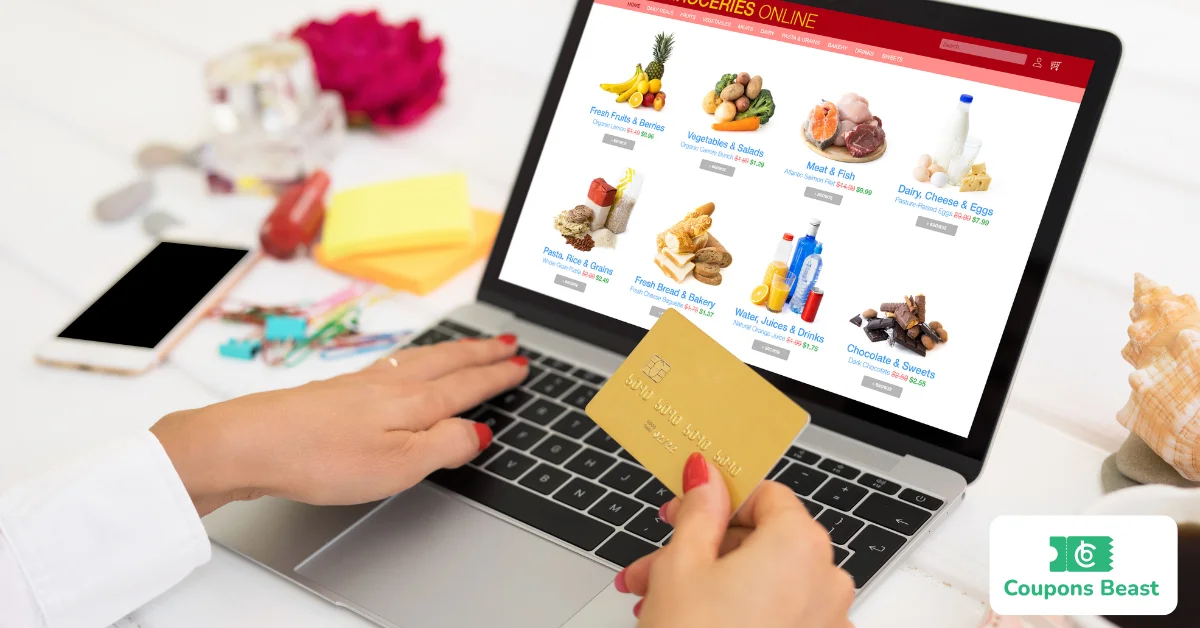
A coupon code is a combination of letters, numbers, or both that shoppers enter during checkout to receive a discount, free shipping, cashback, or other promotional benefit.
In online shopping, coupon codes act as digital keys that unlock specific offers stored in a retailer's system. When a shopper enters a valid code, the website checks predefined conditions such as expiration date, minimum order value, product eligibility, and usage limits before applying the discount automatically.
Now let's go through it in detail.
Example of a Coupon Code
Each code activates a different offer, but the checkout process remains the same. If the code is valid and your order qualifies, the discount appears automatically before payment.
Here are a few common examples you may see while shopping online:
Why Coupon Codes Matter in Online Shopping
Coupon codes have become one of the most popular ways to save money online. Almost every major e-commerce store offers promotional codes throughout the year.
For retailers, coupon codes are much more than simple discounts. They help businesses attract new customers, increase average order value, reward loyal shoppers, clear excess inventory, and measure the success of marketing campaigns.
For shoppers, coupon codes create opportunities to maximize savings without sacrificing product quality. Many customers actively search for valid coupon codes before placing an order because even a small discount can make a noticeable difference over time.
Significant Coupon Terms You Should Know
Learning common coupon terminology makes online shopping much easier. These related terms often appear during checkout or within promotional campaigns.
How Coupon Codes Work
At first glance, a coupon code looks like a simple combination of letters and numbers. Behind the scenes, however, it triggers a series of automated checks before any discount appears.
The process usually takes less than a second, but several important checks happen behind the scenes before the final price changes.
How the Process Works
This automated process ensures that only qualifying orders receive the intended discount.
A retailer creates a promotional offer.
The ecommerce platform generates a coupon code.
The shopper adds products to the cart.
The shopper enters the coupon code during checkout.
The system verifies all promotion rules.
The eligible discount is applied automatically.
The customer completes the purchase.
How to Use Digital Coupons
Using a coupon code is simple, but entering it correctly is essential for receiving the discount. Before completing your purchase, always verify that the discount appears in your order summary. If the total price does not change, review the coupon requirements before placing your order.
Step-by-Step Process to Redeem a Coupon Code
Always copy and paste coupon codes instead of typing them manually.
Add all your items to the cart first
Go to checkout
Find the promo or discount code field
Now paste or type the code exactly as it appears
Click Apply or Redeem
Check that the discount is shown on your total
Complete your purchase
Never type a code from memory. Copy and paste it every time. One wrong character and the whole thing fails. New to online shopping? Our complete guide on How Do You Use a Coupon Code? explains every step with examples and tips for avoiding common mistakes.
Where to Find Coupons?
Finding valid coupon codes is easier than ever because retailers promote discounts across multiple channels. However, not every coupon shared online is genuine or active. Using trusted sources improves your chances of finding offers that actually work.
Retailer's Official Website
Many online stores display active promotions directly on their homepage, category pages, or checkout screens. Banner announcements, pop-ups, and promotional landing pages often feature the latest coupon codes.
Email Newsletters
Subscribing to a retailer's newsletter is one of the easiest ways to receive exclusive coupon codes. Many businesses send welcome discounts immediately after registration and continue sharing seasonal offers, product launches, and member-only promotions.
Mobile Apps
Retailers frequently reserve special coupon codes for customers who shop through their mobile apps. These app-exclusive promotions encourage downloads while rewarding mobile shoppers with additional savings.
Coupon Websites
Trusted coupon websites like CouponBeast collect and verify discount codes from thousands of retailers. Before using any coupon, check whether the platform displays recent verification dates or user success rates.
Browser Extensions
Browser extensions automatically search for available coupon codes while you shop online. Instead of manually testing multiple promotions, these tools apply eligible codes during checkout.
Popular options include:
Honey
Capital One Shopping
Rakuten
These tools save time, although results depend on each retailer's available promotions.
Social Media
Many brands announce limited-time coupon codes on their social media channels before updating their websites. Following your favorite retailers on platforms like Instagram, Facebook, TikTok, or X helps you discover flash sales and exclusive promotions early.
Cashback and Rewards Platforms
Some cashback websites combine coupon codes with cashback offers, allowing shoppers to earn additional savings after completing their purchases. Depending on the retailer's policies, you may even combine cashback rewards with an eligible coupon code.
Influencer and Affiliate Promotions
Brands frequently collaborate with creators, bloggers, and influencers by providing exclusive promotional codes for their audiences. These offers often include discounts unavailable through standard marketing campaigns.
Want proven ways for finding working coupon codes? Explore our detailed guide on where to find coupons before placing your next order.
Coupon Code vs Promo Code vs Discount Code
So, here’s the thing for normal shopping, you don’t need to overthink it. If a site asks for a code at checkout, it all works the same no matter what they call it. But the real difference is only in how the store promotes and tracks the deal, not in how you use it as a shopper.
Common Reasons a Coupon Code Doesn't Work
A coupon code may fail even when it looks valid. Most checkout errors happen because the promotion has specific rules that your order doesn't meet.
The Coupon Has Expired
Every promotional code has a start date and an expiration date. Once the offer expires, the retailer's system automatically disables the code, even if it still appears on third-party coupon websites.
Before trying another code, always check the promotion period listed on the retailer's website or the coupon source.
Your Order Doesn't Meet the Requirements
Many coupon codes require customers to spend a minimum amount before receiving the discount. Others only apply to selected products or categories.
For example:
Spend $50 to save $10
20% off selected clothing
Free shipping on orders above $75
If your shopping cart doesn't meet these conditions, the coupon won't work.
The Products Are Excluded
Not every product qualifies for promotional discounts. Retailers often exclude:
Gift cards
Clearance items
Luxury brands
Marketplace products
Limited-edition collections
Reading the promotion terms before checkout helps you identify excluded products.
The Coupon Has Already Been Used
Some coupon codes are designed for one-time use. Once redeemed, the system marks the code as completed and prevents additional use.
Personalized coupons sent through email or loyalty programs are especially likely to have single-use restrictions.
Typing Errors
Coupon codes are case-sensitive on some websites. Extra spaces, incorrect characters, or missing letters can prevent the checkout system from recognizing the code.
Always copy and paste the coupon exactly as it appears instead of typing it manually.
Technical Problems
Occasionally, browser issues or outdated shopping sessions interfere with coupon validation. Refreshing the page, clearing your browser cache, or trying another browser often resolves these temporary problems.
If the coupon still doesn't work, contact the retailer's customer support team before completing your purchase.
Coupon problems are usually easy to fix. Read our full guide on Why Do Coupon Codes Never Work? to learn how to troubleshoot invalid and expired codes. Some of the common reasons are explained below:

Digital Coupons vs Coupon Codes
A coupon code usually requires customers to enter a combination of letters or numbers during checkout. A digital coupon, however, may activate automatically after being clipped, saved, or linked to your shopping account.
For example, grocery stores often let customers clip digital coupons through their mobile apps before shopping. When eligible products are purchased, the discount applies automatically without entering a code.
Both options help shoppers save money, but digital coupons often provide a smoother checkout experience because they activate automatically once linked to the customer's account.
Benefits for Shoppers vs. Businesses
Tips for Using Coupon Codes Safely
Use trusted coupon websites with verified offers.
Check the coupon's expiration date.
Read the promotion terms before checkout.
Avoid websites that ask for payment to access coupon codes.
Never download unknown software to unlock discounts.
Verify that the retailer's website uses a secure HTTPS connection.
Avoid sharing sensitive personal or financial information with third-party coupon sites.
FAQs
Is a promo code the same as a coupon code?
Yes. In most online stores, promo code, coupon code, discount code, and offer code refer to the same type of promotional code. The terminology varies by retailer and region.
Is a voucher code different from a coupon code?
Usually, they work the same way in online shopping. However, a voucher can sometimes represent prepaid credit or a gift certificate rather than a promotional discount.
Why doesn't my coupon code work?
A coupon code may fail because it has expired, reached its usage limit, contains typing errors, applies only to selected products, or requires a minimum purchase amount.
Can I use more than one coupon code?
Most retailers allow only one coupon code per order. Some stores permit coupon stacking with loyalty rewards or free shipping offers, depending on their promotion rules.
Are coupon codes free to use?
Yes. Legitimate coupon codes are free. You should never pay a website simply to access promotional codes.
Can coupon codes be used in physical stores?
Some retailers allow digital coupon codes in-store through their mobile apps or loyalty accounts. Others create online-only promotions, so always review the promotion terms.
Do coupon codes work on sale items?
It depends on the retailer. Some promotions apply to discounted products, while others exclude clearance or already discounted merchandise.

Noman
Content WriterNoman is a content writer at CouponsBeast, where he researches and writes about coupon codes, cashback deals, and money-saving strategies for online shoppers. He focuses on breaking down how discount codes work, testing offers before they're published, and helping readers avoid expired or invalid coupons. His writing covers deals across [categories — e.g., fashion, electronics, travel, groceries], with an emphasis on practical, easy-to-follow savings tips.
Comments 0
No comments yet. Be the first to share your thoughts!